
The Platform
From backlog to tower. One journey, no blind spots.
Each stage is planned, tracked and validated in a single digital journey.
Management module - Conductor
Mobile app - Ária
Clock in, clock out and breaks on the phone
The technician clocks in on the app. Each record is born with GPS, device data and a compliance status. The center sees the same shift.
- Clock in, clock out and breaks
- Compliant record
- GPS and device ID
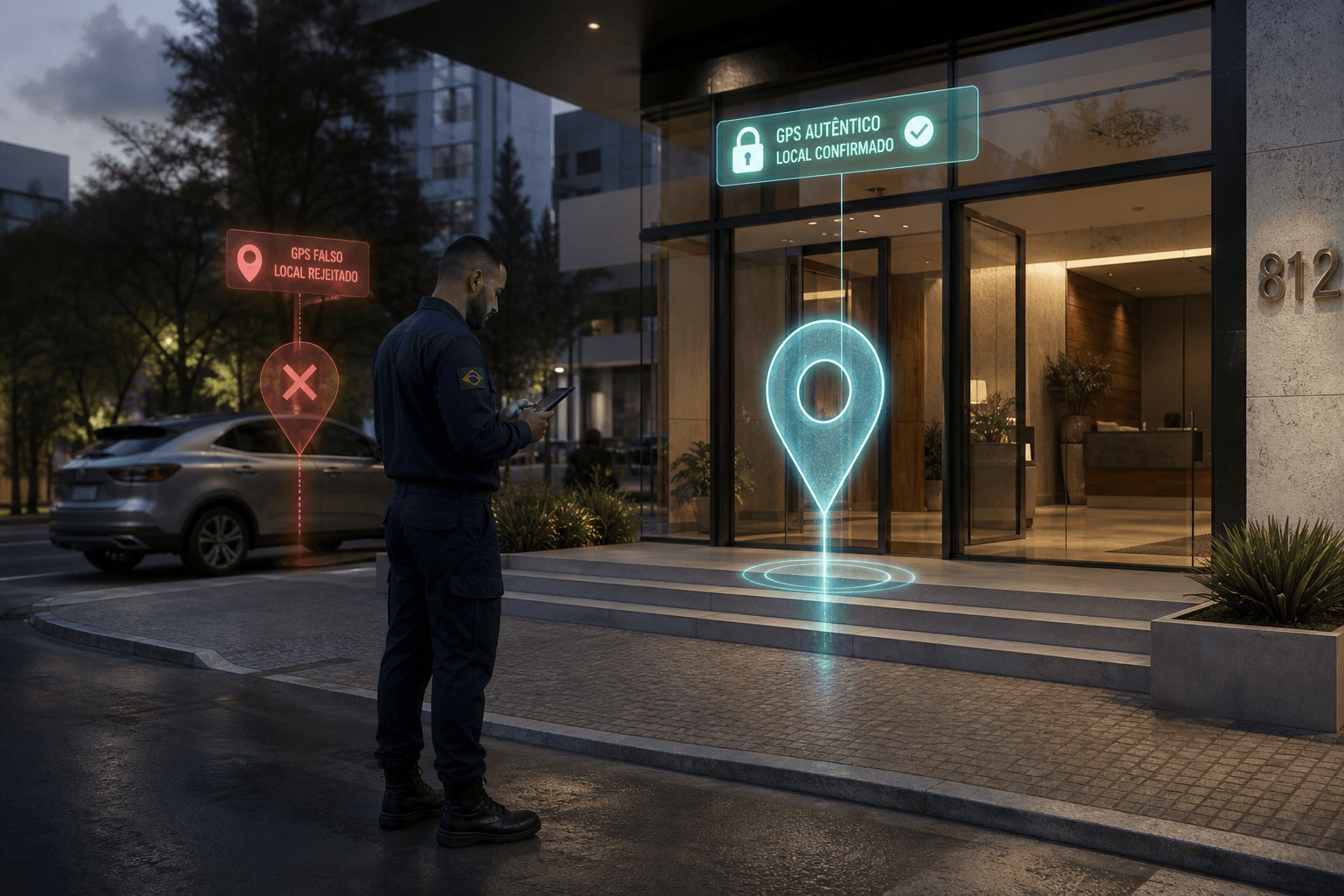
Fake GPS and a tampered clock do not pass
The photo is born with GPS and time. If the position is simulated, Ária blocks it. If date and time are not automatic, the app sends the technician to settings. Evidence only counts if the device is trusted.
Photo with location stamp
Time and coordinates enter the evidence at the click.
Simulated location block
Detects Fake GPS on Android and iOS and applies company policy.
Automatic date and time
If the clock is not automatic, the app opens settings. Stops forcing status outside real time.
Verify again on the spot
Checks device integrity before accepting the data. The technician confirms on the spot, with no evidence from a tampered phone.
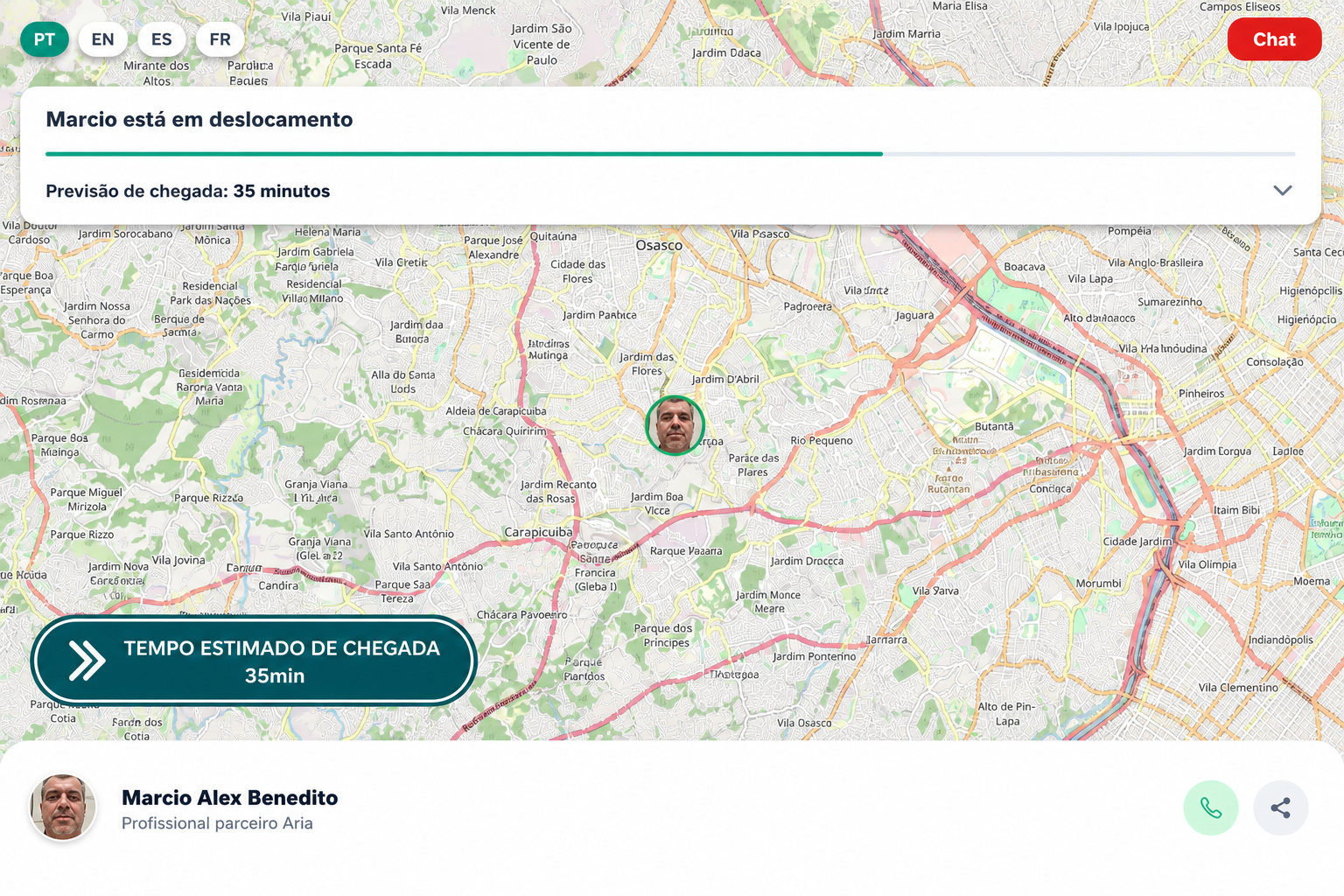
The customer tracks the technician on the way
The link opens the map with the professional in motion. Arrival time updates on its own. Chat stays available until the trip is closed.
Who is coming, and from where
Photo, name and live position. The Ária partner professional shows up at the right point on the route.
Chat on the tracking page
A question on the way becomes a message in the same link. No parallel WhatsApp, and the work order context stays intact.
Share
One tap sends the same map to whoever receives the job at home or at the company.
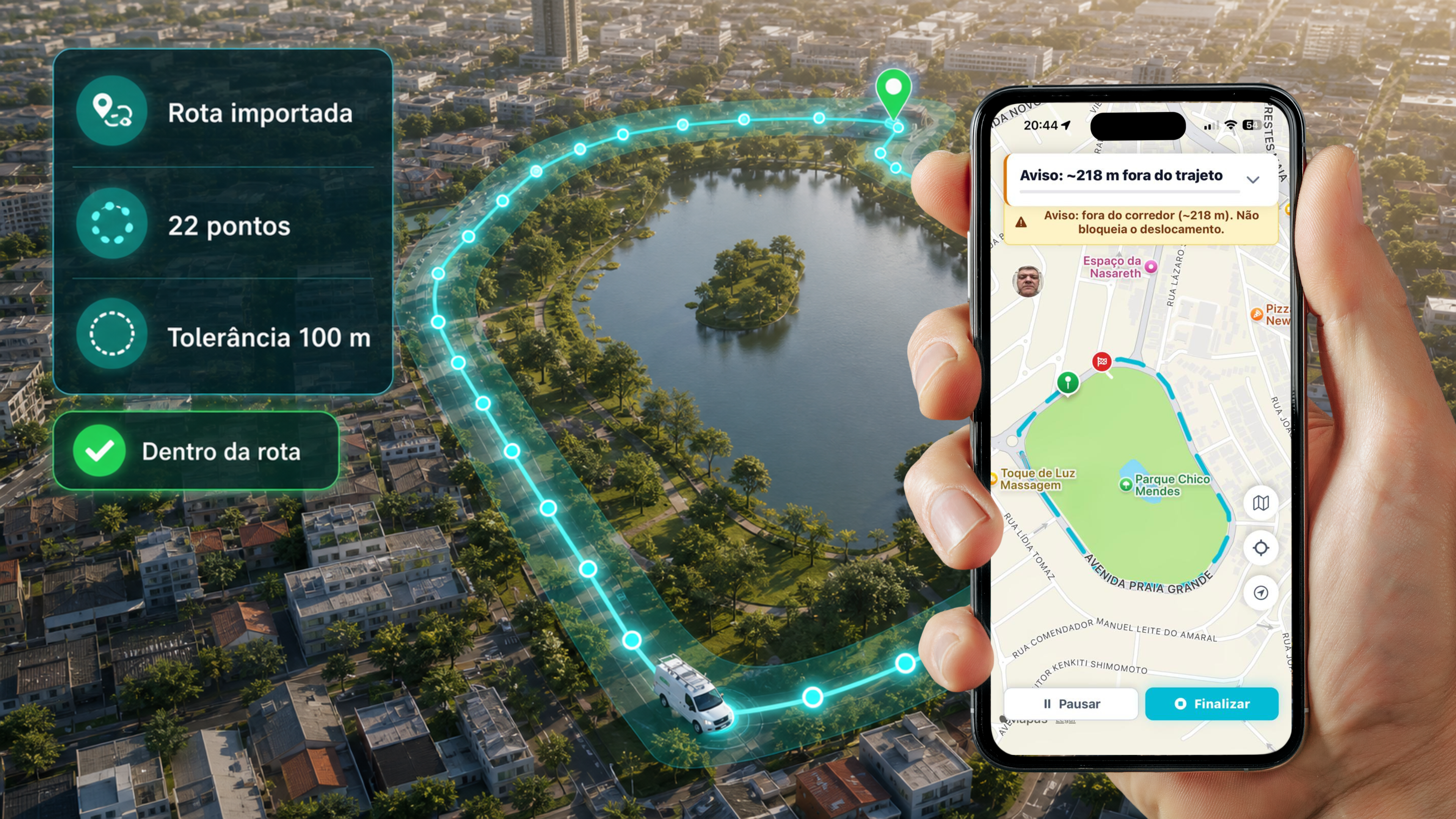
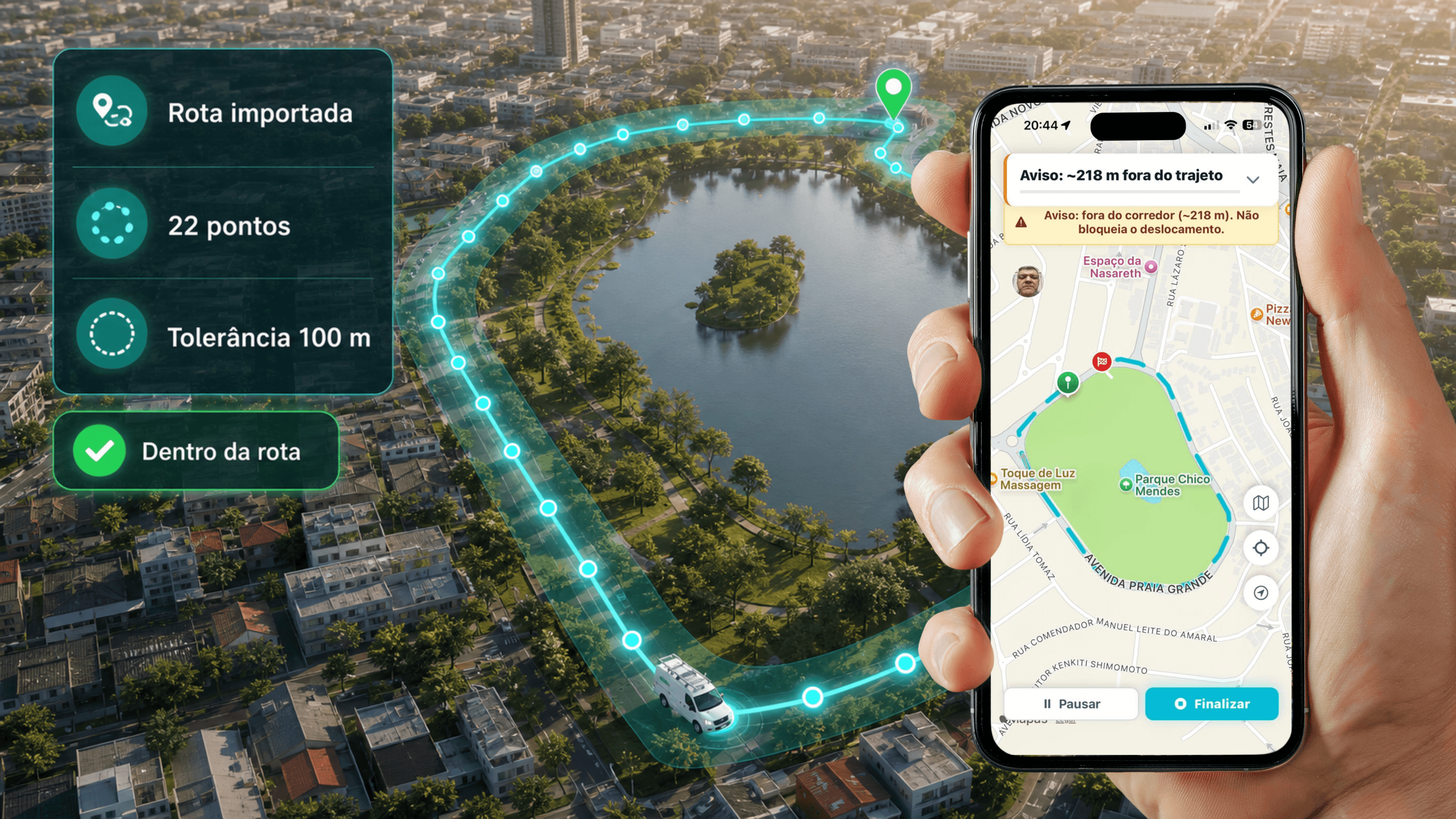
Patrol shows whether the professional stayed on the route
The round arrives with the imported route, the points and the tolerance. The app shows whether the professional is in the corridor. Leaving the fence raises an alert, without blocking travel.
Imported route
The path lands on the map with the patrol points and the tolerance. The corridor is already drawn.
On the route
Status confirms the professional stays on the path. Productive and idle travel stay split.
Off-corridor alert
If they leave the fence, the app warns. Travel continues. Management sees the exception.
Pause or finish
On the phone, the round pauses or closes in the same flow. No third-party app.
With AI, the camera and the microphone stop archiving, they decide.
In Ária, AI vision and hearing analyze the evidence, extract the data, search the catalog and compare it to the standard.
Scored analysis
The image gets a 0 to 10 score with technical rationale aligned to your prompt.
Golden Photo compare
Before and after against the engineering standard, to release WO closeout.
Data extraction
Meters, labels and serials enter the form straight from the photo.
Search
The technician photographs the part. AI vision searches the catalog, shows similarity and fills the data into the form.
Asset audio
The mic compares anomalous motor and compressor noise to a healthy library.

Your entire operation, in a single view.
Track SLAs, materials, productivity, times, alerts, status and KPIs in real time. With custom panels, leadership spots deviations, prioritizes risks and acts quickly where the impact is greatest.
Custom dashboards
Create dashboards for different areas, contracts and customers, with the most relevant information for each audience.
Automatic reports
Generate custom reports in PDF, XLS or CSV, set dates and recurrences and automate sending to managers, teams and customers.
Visibility to act
More visibility to track. More intelligence to decide. More agility to act.

The activity report closes the work order in PDF
Dispatch, execution, productivity and travel enter the same dossier. Leadership reads the evidence, without assembling a folder.
Technical data of the job
System, identification, dispatch and execution sit in the header, with the work order status.
Technician productivity
Total time, travel and form steps appear side by side.
Operational timeline
Creation, sync, travel, start and closeout on the same strip.
Travel summary
Start, end, planned and actual, with the point on the map.
Want this journey in your operation?
In 30 minutes we walk the flow with your checklist and your evidence standard.
Book a demo